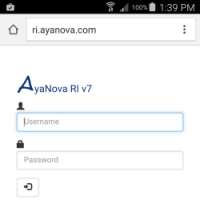
Image of RI login on mobile device
RI is our optional Responsive Interface web application that provides the ability for those with just a web browser and internet connection on any sized screen device to access many of the same features as that of the desktop AyaNova interface.
RI is not a replacement for the AyaNova desktop user interface, RI is an optional interface.
Doesn't matter what the operating system of your device is, nor does it matter what screen size your device has - RI is responsive to your screen size and is accessed by the remote user using most any HTML5 compatible web browser on any operating system.
A RI license is required to use this optional add-on.
Confirm your AyaNova database is licensed for RI by selecting Help -> License. If not licensed, and you would like to trial before purchase, contact us with your present licensing information.
And when ready, purchase the optional RI license via our website.
Quick overview of features and tasks accomplished via RI:
•Secure log in
oOnly your active AyaNova users can log in with their supplied login name and password
oEnter in workorder or quote or PM number to bring up that record quickly
oWild card search to return record(s) that have that text entered such as a Unit's serial number, error message, etc.
oWild card search to return client or unit record, so can easily select to view service history, quotes history, pms, client notes, follow ups, banked service, meter readings (for unit)
oLists records most recently viewed/edited so you can quickly access again
oquick access to overdue service workorders that were scheduled prior to today's present time and date as a reminder so that you do not forget to enter your labor, parts, etc as well as checkmark Service Completed.
oquick access to service workorders that are scheduled after today's date and time
oquick access to Schedule Markers and Follows Ups assigned to logged in user
oquick access to unread internal memos
oquick access to not yet accepted CSRs (Customer Service Requests created by the customer via WBI)
oquick access to service workorders not yet assigned to any scheduleable resource specifically
oYes you can create a new service workorder via RI - review the steps in the tutorial how to create a new service workorder via RI!
oaccess to the same fields of data as that of the Windows desktop AyaNova program interface
omenu access to:
▪obtain and view existing Signature from client along with date obtained (once Service Completed checkmarked)
▪display service workorder reports
▪create new / edit existing Follow Ups for this service workorder
▪view existing Wikipage
▪upload/download embedded files associated with this workorder
oquick access to workorder client's address and phone information, popup notes, scheduleable user notes, and contract information.
ocreate new / edit existing workorder item(s)
▪menu access to:
•copy existing workorder item to another workorder for same client
•move existing workorder item to another workorder for same client
oselection of unit being serviced
▪quick view of that selected unit's warranty information
▪menu access to:
•view existing / add meter reading
oadd / edit existing Scheduleable User record
▪menu access to:
•generate Labor record from the Scheduled User record
oadd Tasks to the workorder item
▪edit these task's status (To Do, Completed, N/A)
oadd / edit existing Parts to the workorder item
▪serialized too!
▪generate Part Requests for quantity of a part not in stock
▪view at a glance if existing Part Requests are ordered yet, when ordered, how many received
oadd / edit existing Labor
▪menu access to:
•apply to banked service
oadd / edit existing Travel
▪menu access to:
•apply to banked service
oadd / edit existing Misc Expenses
oadd / edit existing Loans
oenter / edit Outside Service details
oenter / edit Custom Fields data
•Quotes
oYes you can create a new quote via RI - review the steps in the tutorial how to create a new service workorder via RI as follows the same steps to create a new quote!
oaccess to the same fields of data as that of the Windows desktop AyaNova program interface
ocreate new / edit existing quotes via the client or via the unit
omanually generate a new service workorder from a quote
•PMs
oYes you can create a new PM via RI - review the steps in the tutorial how to create a new service workorder via RI as follows the same steps to create a new pm!
oaccess to the same fields of data as that of the Windows desktop AyaNova program interface
ocreate new / edit existing PMs via the client or via the unit
omanually generate a new service workorder from a PM
•Client
oYes you can create a new client record via RI.
oaccess to the same fields of data as that of the Windows desktop AyaNova program interface
omenu access to:
▪existing service workorders for this client, and create new for this client from here too!
▪existing quotes for this client, and create new
▪existing PMs for this client, and create new
▪Banked Service entries and create new
▪CSRs made by this client (accepted as well as not yet accepted)
▪Units "owned" by this client (create new unit "owned" by this client from here too!)
▪existing Client Notes and create new
▪existing Follow Ups for this client and create new
▪view existing Wiki page for this client record (not editable via RI)
▪upload / download embedded files for this client record
▪create a new client
▪duplicate existing client to create new
•Unit
oYes you can create a new unit record via RI.
oaccess to the same fields of data as that of the Windows desktop AyaNova program interface
omenu access to:
▪service workorders for this unit (create new for this unit from here too!)
▪quotes for this unit
▪PMs for this unit
▪Banked Service entries
▪CSRs where this unit was specifically selected
▪Follow Ups for this unit
▪view existing Wiki page for this unit record
▪upload / download embedded files for this unit record
▪create a new unit
▪duplicate existing unit to create new
•Unit Model
oaccess to the same fields of data as that of the Windows desktop AyaNova program interface
omenu access to:
▪view existing Wiki page for this unit model record
▪upload / download embedded files for this unit model record
▪create a new unit model
•Part
oYes you can create a new part via RI by selecting +New from an existing part's menu. And you can also make adjustments to inventory onhand amounts!
oaccess to the same fields of data as that of the Windows desktop AyaNova program interface
omenu access to:
▪view existing Wiki page for this part record
▪upload / download embedded files for this part record
▪create a new part
▪duplicate existing part to create new
▪Part Inventory
•On Hand amt, Qty on Order Committed, Restock Level and/or Order Level details for each warehouse
▪Part Inventory Adjustment
•Add/remove quantities of this part to/from inventory
omonth/week/day view of scheduled workorder items, Schedule Markers and/or Follow Ups for individual scheduleable resource or non-assigned
ojust click on a scheduled workorder, Schedule Marker or Follow Up to open that form and its data
•Memos
oview unread, reply to existing, forward existing, and/or create new memos
oadjust for a remote user that is physically located in another time zone than where RI is installed
•Logout
ouse the Logout to release used resources at the IIS server (closing web browser will also do the same eventually)